


Softech Computer Education

Computer Course for Beginners

YouTube Taught Me Computer. Here’s What It Missed

YouTube Taught Me Computer. Here’s What It Missed Be honest. You have watched at least one programming tutorial on YouTube and told yourself you were learning to code. Maybe you followed along. Maybe the code worked while the video was playing. Then you closed the tab, opened a blank file, and had no idea where to start. That is not a problem. That is a YouTube problem. YouTube is genuinely useful. It is free, accessible, and covers almost every topic imaginable. But there is a specific kind of learning it cannot replicate – and that gap becomes very obvious the moment you sit in a real job interview or try to build something from scratch without a video playing in the background. This is exactly what students discover when they walk into the Softech Computer Centre – a Siliguri Computer Centre with over 30 years of training experience, ISO 9001:2015 certified, and 50+ job-oriented courses built around one goal: making you genuinely capable, not just occasionally functional. What YouTube Actually Gives You Let us be fair before being critical. YouTube has genuinely changed how people access information. A student in Siliguri can watch a tutorial from an MIT professor, follow a Python course from a developer in San Francisco, or learn Photoshop from a designer in London – all for free, in their own time. That is remarkable. And for picking up surface-level knowledge or exploring whether a subject interests you, it works well. The problem starts when you try to go further. What YouTube Consistently Misses It cannot ask you a question. Watching someone else solve a problem is not the same as solving one yourself. YouTube shows you the answer. A good instructor makes you find it. That difference is everything when you are sitting in a technical interview and there is no video to pause. It cannot tell you when you are wrong. You can watch a coding tutorial, follow every step, and still be developing habits that will slow you down for years. Bad logic. Sloppy structure. Shortcuts that break under pressure. YouTube has no way of spotting this. An experienced instructor does – and corrects it before it becomes a pattern. It has no structure built for you. A YouTube playlist is not a curriculum. It is a collection of videos someone uploaded in a loose sequence. There are gaps, inconsistencies, and no guarantee that what you learn in video three actually prepares you for video seven. A proper computer course in Siliguri is sequenced deliberately – each concept building on the last. It cannot simulate a real deadline. Professionals work under pressure. They debug code when something breaks at the wrong moment. They deliver projects by a specific date. YouTube teaches you in a consequence-free environment where nothing is ever actually due. That comfort disappears the moment you enter a workplace. It does not prepare you for interviews. The gap between knowing a concept and explaining it clearly under pressure is significant. Most YouTube learners discover this the hard way. Structured training at a computer centre in Siliguri includes mock tests, problem-solving sessions, and the kind of repeated practice that makes interviews feel familiar rather than terrifying. The Specific Things Students Come to Softech Already Knowing – And Still Need to Relearn This comes up more often than you might expect. Students arrive at Softech Computer Centre having spent months on YouTube. They know the vocabulary. They have watched hours of content. But when asked to write a programme from scratch, explain why their code works, or fix a bug they have not seen before – the gaps surface quickly. It is not their fault. YouTube optimises for views, not outcomes. What structured training fixes: Foundation gaps – concepts that were skipped or glossed over in tutorials because they are not exciting enough to make a good video. Object-oriented programming. Data structures. Exception handling. These are not glamorous topics. They are the ones every employer tests. Applied thinking – the ability to take a problem you have never seen before and work through it systematically. This is built through practice, feedback, and repetition. Not passive watching. Real project experience – a project you built yourself, solved yourself, and can explain confidently in an interview. Not a project you replicated from a screen while someone walked you through every line. What a Proper Computer Centre in Siliguri Offers Instead At Softech Computer Centre, the difference is not about having fancier videos or a better studio. It is about what happens between you and an instructor in a room. Courses built around job outcomes – whether you are learning Tally, joining coding classes in Siliguri, enrolling in an AI course in Siliguri, or starting with computer basics – every course at Softech is designed around what employers are actually hiring for, not what makes an engaging tutorial. Instructors who have worked in the industry – not just people who are good at explaining things on camera. People who have solved real problems, worked on real projects, and know what a hiring manager is looking for because they have been on both sides of that table. Doubt-clearing that actually works – when you are stuck, you raise your hand. The problem gets resolved before you move on. No comment section. No waiting for a reply that may never come. No rewatching the same five minutes hoping the answer appears. Structured curriculum with no gaps – every concept is sequenced deliberately. What you learn in week two prepares you for week three. Nothing is assumed. Nothing is skipped because it is not interesting enough to film. A batch of peers learning alongside you – accountability, healthy competition, and the experience of working through problems with other people. This is closer to what a real workplace feels like than anything you experience alone with a laptop. Who Should Stop Relying on YouTube Alone If any of these sound familiar, structured training at a Siliguri Computer Centre is the

YouTube Taught Me Computer. Here’s What It Missed Read More »
Top Computer Skills Every Student Should Learn Today

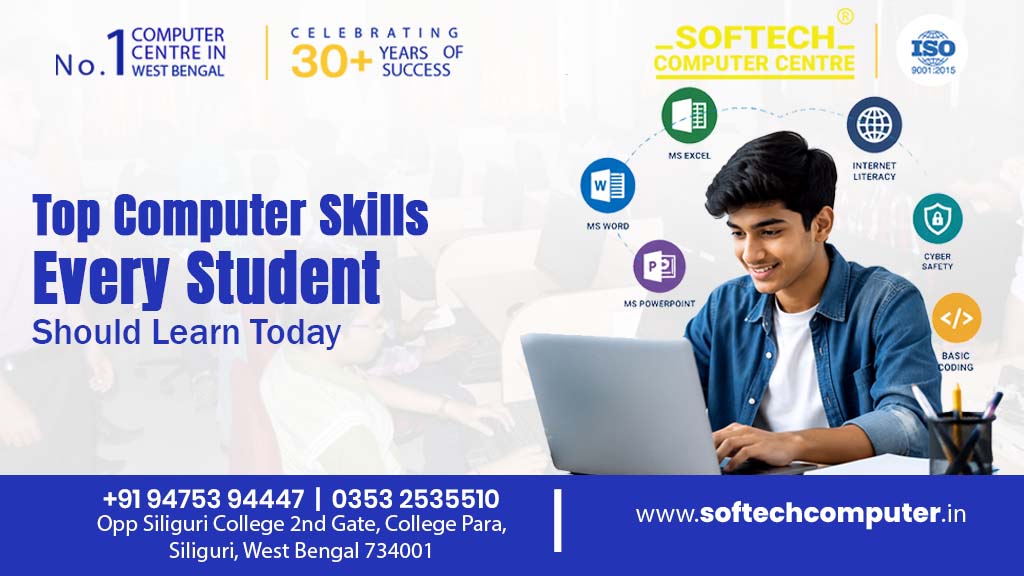
Top Computer Skills Every Student Should Learn Today Here is something no one tells you clearly enough in school. Your degree opens the door. Your skills decide whether you walk through it. In 2026, employers across every industry – IT, finance, healthcare, retail, education – are not just asking what you studied. They are asking what you can do. And the students who have built real computer skills are consistently the ones getting shortlisted, called back, and hired first. The good news? These skills are learnable. None of them require a technical background. And most of them can be built in a few months with the right training. Here is exactly what matters – and why. 1. Microsoft Office and productivity tools Before anything else, get this right. MS Word, Excel, and PowerPoint are used in almost every workplace in India – from small businesses to large corporations. Yet most students who claim to “know Office” can barely do more than type a document or make a basic slide. The students who stand out know Excel formulas, data sorting, pivot tables, and professional formatting. They know how to build a presentation that communicates clearly, not just one that looks busy. This is not a glamorous skill. But it is the one that comes up in literally every job, every day. 2. Basic Coding and Programming You do not need to become a software engineer to benefit from knowing how to code. Even basic programming knowledge – understanding logic, writing simple scripts, knowing how software thinks – changes how you approach problems. It makes you more valuable in roles that have nothing to do with development. For students who want to go deeper, Python is the best starting point in 2026. It is beginner-friendly, widely used, and relevant across data science, automation, AI, and web development. According to the TIOBE Index, Python has been the most popular programming language globally for three consecutive years. Start with the basics. Build one small project. The confidence that follows is worth more than any certificate. 3. Internet Research and Digital Literacy This sounds obvious. It is not. Most students can search Google. Very few know how to evaluate sources, cross-check information, use advanced search filters, or find reliable data for a report or project. Digital literacy also covers understanding how the internet works – basic cybersecurity awareness, recognising phishing attempts, protecting personal data, and using cloud tools like Google Drive and OneDrive effectively. These are skills employers test without announcing they are testing them. 4. Tally and Accounting Software Not just for commerce students. Tally with GST is one of the most consistently hired-for skills across small and medium businesses in India. Accountants, billing executives, GST assistants, and office managers all need it – and most candidates walking into interviews do not have it. If you are a commerce or arts graduate wondering how to make your resume more competitive immediately, a Tally course is one of the fastest, most practical answers available. 5. Graphic Design Basics Visual communication is now a professional skill – not just a creative hobby. Tools like Canva, Photoshop, and CorelDRAW are used in marketing, education, HR, content creation, and business operations. A student who can design a professional poster, social media graphic, or company presentation has an immediate practical advantage over one who cannot. You do not need to become a designer. You need to know enough to communicate visually – and that level is reachable in weeks, not years. 6. Data Handling and Spreadsheet Analysis Data is everywhere. Most people cannot read it. The ability to organise, analyse, and present data clearly – using Excel, Google Sheets, or basic SQL – is one of the most in-demand skills across industries in 2026. According to NASSCOM, data-related roles in India grew over 45% between 2022 and 2024. Students who can take a messy spreadsheet and turn it into a clear, actionable summary are immediately more useful than those who cannot. This skill alone has launched careers in finance, marketing, operations, and consulting. 7. AI Tools and Prompt Skills This one is new – and it is moving fast. AI tools like ChatGPT, Google Gemini, and industry-specific platforms are now part of everyday work in offices, agencies, and businesses of every size. Students who know how to use these tools effectively – to research, write, summarise, automate, and solve problems – are measurably more productive. Prompt engineering, the skill of communicating with AI systems to get accurate and useful outputs, is already a paid job title at major companies. At the beginner level, it is a skill any student can build in weeks. Ignoring AI tools in 2026 is the equivalent of ignoring the internet in 2005. 8. Typing Speed and Basic Computer Operation This still matters – more than most students admit. A typing speed of 40 to 50 words per minute is expected in most data entry, administrative, and office roles. Many government job examinations test it directly. Students who have never focused on typing speed often find themselves unprepared for timed tests and slow in day-to-day work. Basic computer operation – file management, keyboard shortcuts, system settings, printer and network setup – is the foundation everything else is built on. Do not skip it. Where to Build These Skills in Siliguri Knowing what to learn is only half the answer. Where you learn matters just as much. Softech Computer Centre in Siliguri is an ISO 9001:2015 certified computer training institute offering 50+ job-oriented courses covering every skill on this list – from MS Office and Tally to Python, AI, graphic design, and data handling. Courses are designed for students from any background, with experienced trainers, hands-on project work, and flexible batch timings. Over 30 years of training students across North Bengal. The results speak for themselves. Frequently Asked Questions What are the most important computer skills for students in 2026? The most in-demand computer skills for students in 2026 are MS Office proficiency, basic programming

Top Computer Skills Every Student Should Learn Today Read More »